With this tipster you'll get more than 50 square pictures on one single film!
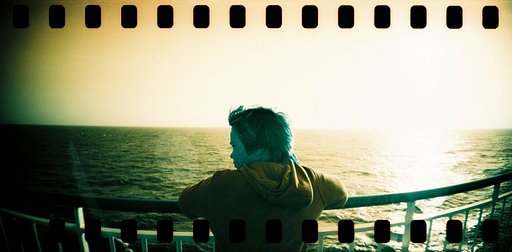
One of the first questions I asked myself when I bought the Diana Mini was why there was only space for 36 square pictures on one film. One square negative is considerably shorter than a conventional negative and there is enough space for 36 conventional negatives on one film. Therefore, after developing the first film, I was a bit astonished to find that the distances between two negatives are quite big and thus account for a considerable part of the film. I think the Diana Mini was built this way to make it easier for the labs to scan the negatives. However, I develop and scan all my films myself and think this is quite a waste of film. As I believe that a big part of this community scans their negatives themselves, I wrote this tipster to help you save some film.
I made a chart with the number of clicks of the wheel for normal winding as well as the number of clicks you really need to get two separate square shots. For those who are too lazy to count the clicks, I added the approximate amount of turns (in minutes) but the number of clicks is more precise. When the Diana Mini thinks it is time for the next shot and it is not possible anymore to turn the winder while you are counting the clicks, just take a shot with the lens cover on and continue counting.
| Photo No | normal winding | saving film | ||
| clicks | rotation degree (’) | clicks | rotation degree (’) | |
| 1 | 36 | 50 | 27 | 40 |
| 2 | 36 | 50 | 27 | 40 |
| 3 | 34 | 50 | 25 | 40 |
| 4 | 34 | 50 | 25 | 40 |
| 5 | 34 | 50 | 25 | 40 |
| 6 | 34 | 50 | 25 | 40 |
| 7 | 32 | 45 | 24 | 35 |
| 8 | 32 | 45 | 24 | 35 |
| 9 | 32 | 45 | 24 | 35 |
| 10 | 30 | 45 | 22 | 35 |
| 11 | 30 | 45 | 22 | 35 |
| 12 | 30 | 45 | 22 | 35 |
| 13 | 30 | 45 | 22 | 35 |
| 14 | 30 | 45 | 22 | 35 |
| 15 | 28 | 40 | 21 | 30 |
| 16 | 28 | 40 | 21 | 30 |
| 17 | 27 | 40 | 20 | 30 |
| 18 | 27 | 40 | 20 | 30 |
| 19 | 27 | 40 | 20 | 30 |
| 20 | 27 | 40 | 20 | 30 |
| 21 | 27 | 40 | 20 | 30 |
| 22 | 26 | 40 | 19 | 30 |
| 23 | 26 | 40 | 19 | 30 |
| 24 | 26 | 40 | 19 | 30 |
| 25 | 26 | 40 | 19 | 30 |
| 26 | 26 | 40 | 19 | 30 |
| 27 | 25 | 40 | 19 | 30 |
| 28 | 25 | 40 | 19 | 30 |
| 29 | 24 | 35 | 18 | 25 |
| 30 | 24 | 35 | 18 | 25 |
| 31 | 24 | 35 | 18 | 25 |
| 32 | 24 | 35 | 18 | 25 |
| 33 | 24 | 35 | 18 | 25 |
| 34 | 24 | 35 | 18 | 25 |
| 35 | 23 | 35 | 17 | 25 |
| 36 | 23 | 35 | 17 | 25 |
| 37 | 23 | 35 | 17 | 25 |
| 38 | 23 | 35 | 17 | 25 |
| 39 | 23 | 35 | 17 | 25 |
| 40 | 23 | 35 | 17 | 25 |
| 41 | DONE! | 16 | 25 | |
| 42 | 16 | 25 | ||
| 43 | 16 | 25 | ||
| 44 | 16 | 25 | ||
| 45 | 16 | 25 | ||
| 46 | 16 | 25 | ||
| 47 | 15 | 20 | ||
| 48 | 15 | 20 | ||
| 49 | 15 | 20 | ||
| 50 | 15 | 20 | ||
| 51 | 15 | 20 | ||
| 52 | 15 | 20 | ||
| 53 | 15 | 20 | ||
Your negative strips will not look like this anymore
but like that.
Now have fun saving film!


36 comments
itsdebraanne
i thought diana mini's are 35mm film only?
eukanooba
I think this tip will be more helpful if the table part is in english.
leendabob
aweeesome! but i can't really understand the chart
leendabob
aweeesome! but i can't really understand the chart
ericeast
God save the film!!
ericeast
Anzahl Klicks means counting the "Click" sounds
Umdrehung(') means the rotation degrees!
cinzinc
woa the chart has loads of numbers, headache for me
gvelasco
@itsdebraanne: That is 35mm film. He just scanned all the way to the edges to show the spacing between the frames.
@ululchen: Thanks for doing this! It was lots of work. I did a statistical analysis of the data and it looks like a quadratic function. I did a quadratic regression and got this:
y = ax^2 + bx + c, a = .0031882041, b = -.3848706479, c = 26.60428584
But, the curve is very flat, so I did a linear regression and got this:
y = ax+b, a = -.2127076278, b = 25.02612482
Let's just say a = -.2 (-1/5) and b = 25. That gives us a linear approximation of y = -x/5 + 25, where x is the number of the current frame and y (rounded to nearest integer) is the number of clicks. For current frame = 1, that's -1/5 + 25 = 25 (rounded). For current frame = 20, that's -20/5 + 25 = 21. For 50, that's -50/5 + 25 = 15. Pretty close. And, -x/5 + 25 is fairly easy to remember.
gvelasco
The number in the first column is the current frame number. The number in the second column is the number of clicks it normally takes to advance to the next frame. The number in the third column is the number of "minutes" it normally takes to advance to the next frame. The number in the fourth column is the number of clicks he counted to get to the next square frame without wasting any space. The number in the fifth column is the number of "minutes" he counted to get to the next square frame without wasting any space.
So, we are really interested in the first column (current frame) and the fourth column (number of clicks to get to the next square frame without wasting any space). If you're lazy, you can use the number in the first column (current frame) and the number in the fifth column (number of minutes).
If there are too many numbers for you to memorize, you can use the formula I obtained through linear regression of the data: clicks = ( negative of current frame divided by five ) plus twenty-five.
Clicks = ( - Current Frame / 5 ) + 25
gvelasco
Another way you can use this tip is to print yourself a long skinny strip of paper with just the fourth column (or fifth column if you want to do minutes) and each time you take a picture, you advance the number of clicks (or minutes) at the top of the list then tear off the number. That way, you don't have to remember which frame you're on or do any math.
ululchen
@eukanooba: i actually submitted two translations of this tipster because i forgot to translate the table first and now it seems that they posted the wrong version. :-( @gvelasco: thanks for translating! and yeah, that's a good idea with the skinny strip!
scorpie
and the table's now in english, too :)
vtayeh
Awesome!!! I love formulas :D
natalieerachel
Is the chart the same for a roll of 24 exposures??
natalieerachel
I'm assuming it is.....and @gvelasco thank you for all the explaining!!!
leendabob
HAHA! thanks guys
ululchen
@natalieerachel: yes, it's the same for 24 exposures, you'll just be done earlier.
thelavishh
If I were to take it to a drugstore to get the roll of film developed, would there be any problems / do I need to inform them about it?
ululchen
@thelavishh: do you scan the negatives yourself? if so, i would tell the lab not to cut the negatives. otherwise i woul tell them that the photos have an unusual format and ask if they can pay attention not to cut into photos, though i'm not sure if the cutting process isn't automated...
ik
can you something like this with a diana f+
ululchen
@ik: why do you mean? the distances between two negatives are not excessively large when you use the diana f+.
stouf
Super ! You could also do something like this (http://www.lomograph(…)lga-cameras)
lighttomysoul
@gvelasco - I don't understand the third column. minutes? it can't take 50 minutes to get to the next frame? not even 50 seconds.
ululchen
@lighttomysoul: if you look at the winder as if it were a watch, you'd have to turn it the same degree as it takes for a clock hand to turn in 50 minutes. As one hour has 60 minutes, 60'=360°=1 turn, so that 50'=300°.
yawny
woah! looks like a greatest tipster I could find!! I just tried it too and now cant wait till i stop being ill to go develop this stuff)
renenob
Brilliant!
lighttomysoul
@ululchen ooooooh I see! ;) that makes sense then! cool! :) I actually have a mini coming my way right now so that's why I thought I should learn this tipster once and for all. thanks a lot :D will come back with results!
jacobcat
ululchen
@jacobcat: the answer is written in the tipster: "When the Diana Mini thinks it is time for the next shot and it is not possible anymore to turn the winder while you are counting the clicks, just take a shot with the lens cover on and continue counting."
cutebun
Hope I can get the winding right =)
12_12
Great article! I'll definitely try that!!! YEAHHH!!!
renenob
Additional tip: http://www.lomograph(…)posure-roll
twizzer88
Fantastic! Now does anyone know the amount of clicks for half-frame mode?
ululchen
@twizzer88: When you use half-frame mode you don't encounter that problem.
twizzer88
It's just my winder has a mind of its own and I'd like to know how many clicks I should turn it :)
ululchen
hmm, as a half-frame picture is 3/4 of the size of a square picture, i guess you should go with 3/4 of the clicks written in the table above, for example instead of 24 clicks, you would turn it 18 clicks.